# Emmet-vim
[](https://travis-ci.org/mattn/emmet-vim)
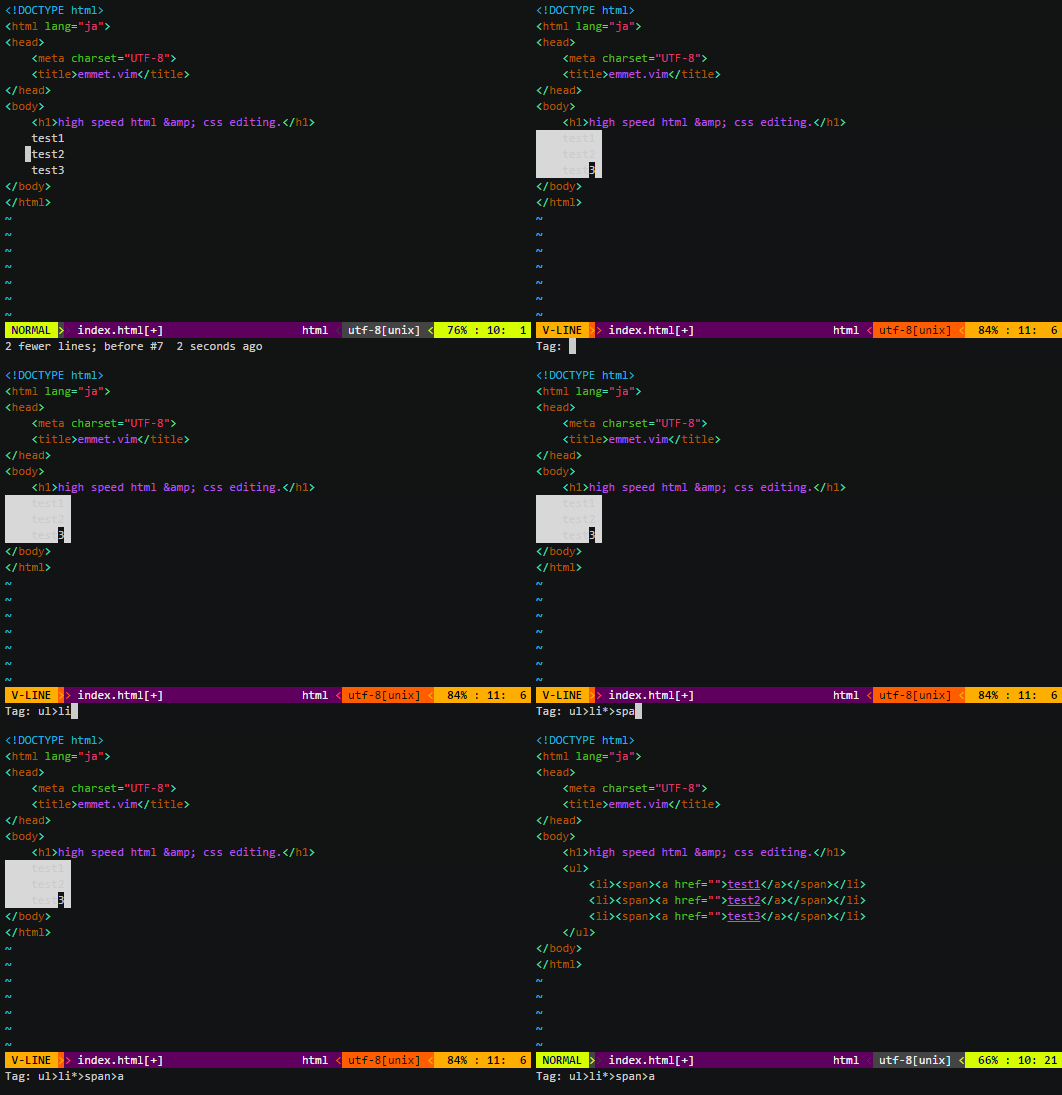
[emmet-vim](http://mattn.github.com/emmet-vim) is a vim plug-in
which provides support for expanding abbreviations similar to
[emmet](http://emmet.io/).
## Installation
[Download zip file](http://www.vim.org/scripts/script.php?script_id=2981):
```sh
cd ~/.vim
unzip emmet-vim.zip
```
To install using [pathogen.vim](https://github.com/tpope/vim-pathogen):
```sh
git clone https://github.com/mattn/emmet-vim.git ~/.vim/bundle/emmet-vim
```
To install using [Vundle](https://github.com/gmarik/vundle):
```
" add this line to your .vimrc file
Plugin 'mattn/emmet-vim'
```
To install using [Vim-Plug](https://github.com/junegunn/vim-plug):
```
" add this line to your .vimrc file
Plug 'mattn/emmet-vim'
```
To checkout the source from repository:
```sh
cd ~/.vim/bundle
git clone https://github.com/mattn/emmet-vim.git
```
or:
```sh
git clone https://github.com/mattn/emmet-vim.git
cd emmet-vim
cp plugin/emmet.vim ~/.vim/plugin/
cp autoload/emmet.vim ~/.vim/autoload/
cp -a autoload/emmet ~/.vim/autoload/
```
## Quick Tutorial
Open or create a New File:
```sh
vim index.html
```
Type ("\_" is the cursor position):
html:5_
Then type `,` (Ctrly,), and you should see:
```html
_
```
[More Tutorials](https://raw.githubusercontent.com/mattn/emmet-vim/master/TUTORIAL)
## Enable in different mode
If you don't want to enable emmet in all modes,
you can use set these options in `vimrc`:
```vim
let g:user_emmet_mode='n' "only enable normal mode functions.
let g:user_emmet_mode='inv' "enable all functions, which is equal to
let g:user_emmet_mode='a' "enable all function in all mode.
```
## Enable just for html/css
```vim
let g:user_emmet_install_global = 0
autocmd FileType html,css EmmetInstall
```
## Redefine trigger key
To remap the default `` leader:
```vim
let g:user_emmet_leader_key=''
```
Note that the trailing `,` still needs to be entered, so the new keymap would be `,`.
## Adding custom snippets
If you have installed the [web-api](https://github.com/mattn/webapi-vim) for **emmet-vim** you can also add your own snippets using a custom **snippets.json** file.
Once you have installed the [web-api](https://github.com/mattn/webapi-vim) add this line to your **.vimrc**:
```
let g:user_emmet_settings = webapi#json#decode(join(readfile(expand('~/.snippets_custom.json')), "\n"))
```
You can change the **path** to your **snippets_custom.json** according to your preferences.
[Here](http://docs.emmet.io/customization/snippets/) you can find instructions about creating your customized **snippets.json** file.
## Project Authors
[Yasuhiro Matsumoto](http://mattn.kaoriya.net/)
## FAQ
* Pressing ctrl+y+, doesn't work
Probably you set `timeoutlen=0`. Most of Vim plugins which using key-mappings does not work with `timeoutlen=0`.
## Links
### Emmet official site:
*
### zen-coding official site:
*
### emmet.vim:
*
### development repository:
*
### my blog posts about zencoding-vim:
*
*
### Japanese blog posts about zencoding-vim:
*
*
*
*
### A Chinese translation of the tutorial:
*