# vim-vue-plugin [![Build Status][12]](https://travis-ci.com/leafOfTree/vim-vue-plugin)
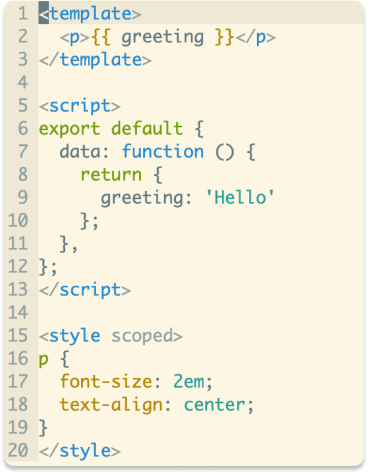
Vim syntax and indent plugin for `.vue` files. Mainly inspired by [mxw/vim-jsx][1].
## Installation
How to install
- [VundleVim][2]
Plugin 'leafOfTree/vim-vue-plugin'
- [vim-pathogen][5]
cd ~/.vim/bundle && \
git clone https://github.com/leafOfTree/vim-vue-plugin --depth 1
- [vim-plug][7]
Plug 'leafOfTree/vim-vue-plugin'
:PlugInstall
- Or manually, clone this plugin to `path/to/this_plugin`, and add it to `rtp` in vimrc
set rtp+=path/to/this_plugin
This plugin works if `filetype` is set to `vue`. Please stay up to date. Feel free to open an issue or a pull request.
## How it works
Since `.vue` is a combination of CSS, HTML and JavaScript, so is `vim-vue-plugin`. (Like XML and JavaScript for `.jsx`).
Supports
- Vue directives.
- Less/Sass/Scss, Pug with [vim-pug][4], Coffee with [vim-coffee-script][11], TypeScript with [typescript-vim][14] or [yats.vim][15].^
- A builtin `foldexpr` foldmethod.^
- [emmet-vim][10] HTML/CSS/JavaScript filetype detection.
- `.wpy` files from [WePY][6].
^: see Configuration for details. Relative plugins need to be downloaded.
## Configuration
Set global variable to `1` to enable or `0` to disable. Ex:
let g:vim_vue_plugin_load_full_syntax = 1
| variable | description | default |
|---------------------------------------|--------------------------------------------------------------------------------------------------------------------------------|----------------------------|
| `g:vim_vue_plugin_load_full_syntax`\* | Enable: load all syntax files in `runtimepath` to enable related syntax plugins.
Disable: only in `$VIMRUNTIME/syntax`, `~/.vim/syntax` and `$VIM/vimfiles/syntax` | 0 |
| `g:vim_vue_plugin_use_pug`\* | Enable pug syntax for ``. | 0 |
| `g:vim_vue_plugin_use_coffee` | Enable coffee syntax for `